

Most people open a browser the same way they flip on a light switch. They don’t think about what’s happening behind the scenes. They type, they search, they shop, and they move on. What they rarely consider is that those actions are being logged, categorized, and in some cases, quietly passed along to companies they’ve never heard of.
This isn’t a conspiracy theory. It’s the documented reality of how several major browsers and browser-adjacent tools operate today, confirmed by regulatory actions, academic research, and enforcement decisions from bodies like the U.S. Federal Trade Commission. Here’s what the evidence actually says.
Chrome Leads the Market and the Data Collection Race

Chrome and Microsoft Edge, both Chromium-based, hold the top spots for browser market share, accounting for roughly 80 percent combined as of December 2024. That dominance matters because market share translates directly to the scale of data being collected. More users means more browsing trails, more search queries, and more behavioral profiles being assembled in the background.
Neither Chrome nor Edge scores well for privacy, and both routinely share data with Google and Microsoft, even in “Incognito” or “InPrivate” modes. This is a point many users get wrong. Those private modes prevent your browser from saving a local history on your device. They do not stop the data from being shared upstream.
Incognito Mode Is Not What You Think It Is

Third-party tracking is not automatically blocked in private browsing modes, and although “private browsing” prevents the app from saving your browsing history, it does not stop its collection of some personal information. This distinction matters enormously, and most users have never been told about it in plain terms.
The illusion of privacy that incognito mode creates is genuinely misleading. The mode was originally designed to keep a session off your local machine, not to make you invisible to the web. Treating it as a privacy shield rather than a local-history eraser is one of the most common misunderstandings in everyday browsing.
The Avast Scandal: A Privacy Tool That Sold Your Data

The U.S. Federal Trade Commission hit antivirus vendor Avast with a $16.5 million fine over charges that the firm sold users’ browsing data to advertisers after claiming its products would block online tracking. This case is arguably the starkest example of the gap between what a browser tool promises and what it actually delivers.
The FTC said Avast “unfairly collected consumers’ browsing information through the company’s browser extensions and antivirus software, stored it indefinitely, and sold it without adequate notice and without consumer consent,” and accused the company of deceiving users by claiming that the software would block third-party tracking while selling their “detailed, re-identifiable browsing data” to more than 100 third parties through its Jumpshot subsidiary.
Avast’s subsidiary, Jumpshot, had amassed over 8 petabytes of browsing information dating back to at least 2014, involving unique identifiers, timestamps, device information, and user location. That is not a rounding error. That is a data warehouse built on broken promises.
Your Browsing History Reveals More Than You Realize

A person’s browsing history can reveal extraordinarily sensitive information. A record of the websites someone visits can divulge everything from someone’s romantic interests, financial struggles, and unpopular political views to their weight-loss efforts, job rejections, and gambling addiction. That framing comes directly from the FTC itself, in a statement accompanying the Avast ruling.
Browsing data sold by Jumpshot included information about users’ web searches and the web pages they visited, revealing consumers’ religious beliefs, health concerns, political leanings, location, financial status, visits to child-directed content, and other sensitive information, according to the FTC. When put that way, the stakes of a default browser setting stop feeling abstract.
Device Fingerprinting: The Tracker That Doesn’t Need Cookies

Device fingerprinting is a tracking technique that identifies users by collecting unique information about their device and browser settings, including details like screen resolution, operating system, installed plugins, and browser language, creating a unique profile that can identify the user across different websites, even without cookies. It is, in many ways, more persistent than traditional cookie-based tracking because there’s nothing to delete.
Changing your browser alone won’t neutralize it. Your screen resolution, your installed fonts, your timezone settings, these attributes combine into something uniquely identifying. The technique has grown more sophisticated alongside the gradual dismantling of third-party cookies, filling the gap that cookie restrictions were supposed to close.
The Third-Party Cookie Question Is Still Unsettled

By the summer of 2024, Google dropped its 2020 plans to end third-party cookies. That reversal surprised many in the privacy community who had spent years preparing for a post-cookie landscape. The advertising industry quietly exhaled.
While third-party cookie tracking has been vital in creating personalized user experiences, privacy concerns cannot be ignored, and consumers are now more conscious about the aggregation of their data by companies. The tension between personalization and privacy is real, and it’s still being negotiated between regulators, platforms, and users who often don’t know they have a seat at the table.
Which Browsers Collect the Most Data

Pi Browser, Edge, and Bing all collected the most tracking data, usually sold to third parties for targeted advertising. Pi Browser collects browsing history, search history, device ID, product interaction, and advertisement data, while Edge collects customer support request data, and Bing collects user ID data. These distinctions are rarely explained to users at setup.
Firefox ranks highest among the most-used browsers in privacy and IT security by default, and promises to never sell your personal information. Still, a deal with Google to make Google search its default search engine accounts for around 85 percent of Mozilla’s revenue. That creates a genuine tension worth understanding, even if it doesn’t mean Firefox is handing over your data directly.
California’s New Law Is Changing the Default

California already offers privacy protections under the California Consumer Privacy Act, including a right to opt out from having their information sold. Now that legal framework is expanding further into the browser itself, pushing responsibility upstream toward the platforms rather than the individual user.
Google organized opposition to a new California browser privacy bill through a group it backs financially, despite not being publicly against the legislation. That detail says something about the gap between public statements on privacy and behind-the-scenes industry behavior. It will likely be easier for companies to roll out the service for the entire country rather than for users only in California, which means this state-level shift could end up having national reach.
The Global Privacy Control Signal Exists and Most People Don’t Use It
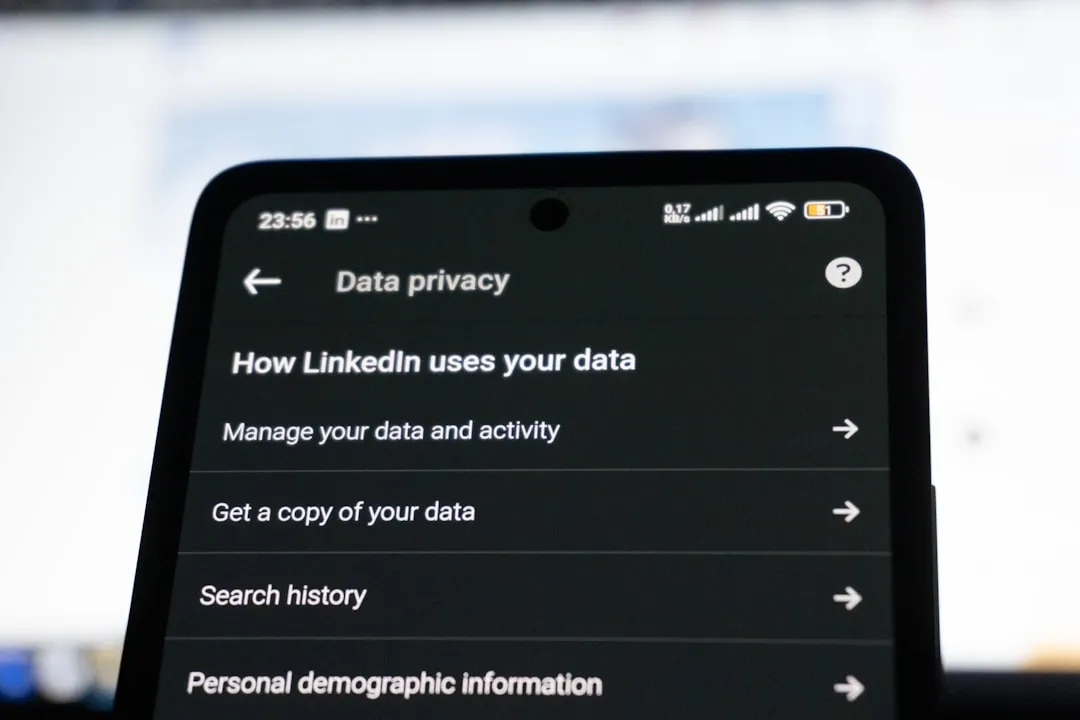
The Global Privacy Control sends a signal to websites you visit requesting that they not sell or share your personal data, or use it across contexts for targeted advertising. It’s a built-in browser tool in Firefox and some other privacy-focused browsers. Most users have never touched it because most users don’t know it’s there.
In some U.S. jurisdictions, companies are legally required to honor the GPC signal. That’s a meaningful protection, but only if you activate it. The setting doesn’t announce itself. It sits quietly in your privacy menu, doing nothing until someone knows to look.
The Chrome Visited-Link Bug That Lasted Two Decades

With the release of Chrome 136, Google addressed a long-standing privacy issue in its browser that allowed websites to determine your browsing history by using previously visited links. That vulnerability existed for roughly 20 years before a fix was shipped. It’s a useful reminder that default browser behavior doesn’t always reflect best practice, even when the company behind it is technically sophisticated.
The issue worked through styling. When you’d visited a link before, browsers styled it differently, and websites could detect that styling to infer where you’d been online. It’s a subtle mechanism, easy to miss, and it illustrates how data exposure doesn’t always arrive through dramatic hacks. Sometimes it’s just a color.
The Takeaway: Your Settings Are a Choice You Haven’t Made Yet

The clearest pattern running through all of this research is that default settings overwhelmingly favor data collection over user privacy. Browsers ship with trackers enabled, private modes that don’t actually prevent tracking, and default search engines that log your queries. None of this is hidden exactly, but none of it is obvious either.
On average, U.S. residents spend up to 6.5 hours per day using apps, browsers, and other resources. That’s a significant portion of the day spent inside systems that were designed, at least in part, around harvesting behavioral data. The settings exist to change that. Most people just haven’t been told where to find them.
Awareness is the first practical step. Switching your default search engine, enabling a Global Privacy Control signal, and understanding what incognito mode actually does are all things you can do today without installing anything or paying for anything. The browser settings are already there. They’re just waiting to be used.
AI Disclaimer: This article was created with the assistance of AI tools and reviewed by a human editor.